
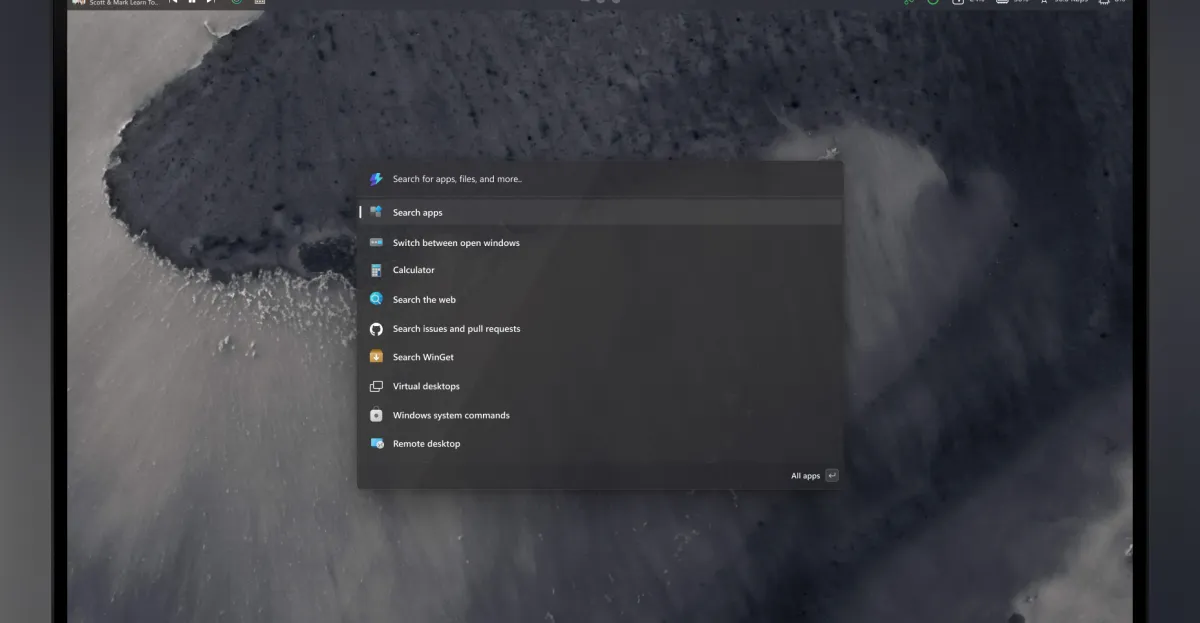
## Windows 11 Could Be Getting a Dynamic New Top Menu Bar, Thanks to PowerToys
Get ready for a potentially significant shift in how you interact with Windows 11! Microsoft’s innovative PowerToys team is currently exploring the exciting prospect of introducing a highly customizable top menu bar, a feature reminiscent of beloved interfaces found in Linux, macOS, and even earlier iterations of Windows. Dubbed the “Command Palette Dock,” this proposed addition aims to revolutionize quick access to essential tools and system monitoring, offering users an optional yet powerful new layer of interface control.
### A Fresh Take on Windows UI: The Command Palette Dock Unveiled
The concept images shared by Microsoft offer a glimpse into this ambitious new UI element. Envisioned as a highly adaptable dock, it’s designed to seamlessly integrate into your workflow, providing immediate access to a suite of functions and data without cluttering your primary workspace.
#### Drawing Inspiration from Familiar Interfaces
The inspiration for this Command Palette Dock is clear: efficiency and user-centric design. By drawing parallels with the intuitive menu bars found in other operating systems, Microsoft aims to bring a similar level of streamlined control to Windows 11. This isn’t just about aesthetics; it’s about empowering users with rapid navigation and crucial information at their fingertips, a feature long appreciated by power users on different platforms.
#### Unprecedented Customization at Your Fingertips
Niels Laute, a senior product manager at Microsoft, emphasizes the core principle behind the dock’s design: configurability. Users will have the freedom to position this dock anywhere on their screen – top, left, right, or bottom – ensuring it perfectly complements their individual setup and preferences. Beyond mere placement, the dock will feature three distinct regions (start, center, and end) where users can pin “extensions” – effectively shortcuts to tools, monitors, and more – tailoring the experience precisely to their needs.
But the personalization doesn’t stop there. If this concept moves forward, Microsoft plans to include extensive customization options for the dock’s visual appearance. Imagine changing its background, tweaking its styling, and even applying different themes to match your overall desktop aesthetic. Reordering extensions between regions will be a breeze, allowing for fluid organization and adaptation as your workflow evolves.
### Integrating with Your Workflow: Beyond Just a Dock
This potential new dock isn’t an isolated feature; it’s designed to enhance and expand upon existing Microsoft innovations, particularly the Command Palette launcher.
#### Enhancing the Existing Command Palette
Last year, Microsoft introduced the Command Palette launcher, a powerful tool akin to Apple’s Spotlight in macOS. This launcher provides lightning-fast access to commands, applications, and development tools with a simple keyboard shortcut. The new Command Palette Dock is envisioned as a natural extension of this functionality, offering a persistent, visual anchor for frequently used elements that complement the on-demand nature of the launcher. Together, they promise to create a formidable duo for boosting productivity and streamlining navigation within Windows 11.
### Your Voice Matters: Shaping the Future of Windows
Microsoft is keenly interested in the community’s perspective on this proposed PowerToy. They are actively soliciting feedback, eager to understand whether Windows users would find such a feature beneficial and integral to their daily computing. This open development approach underscores Microsoft’s commitment to building features that genuinely resonate with its user base.
For developers eager to get an early look and contribute, a preliminary version of the project is available. Importing it from Microsoft’s PowerToys GitHub repository into Visual Studio provides an opportunity to experiment firsthand and help shape the future of this exciting new Windows interface element.
The potential for a highly customizable, efficient top menu bar within Windows 11 is an exciting prospect. It signals a move towards greater user control and a more adaptive operating system experience, further cementing PowerToys’ role in pushing the boundaries of what Windows can be. We encourage all interested users and developers to engage with Microsoft’s request for feedback and contribute to the evolution of Windows 11.