
Ferguson Marine Initiates Voluntary Redundancy Amid Workload Gap, Awaiting New Contracts
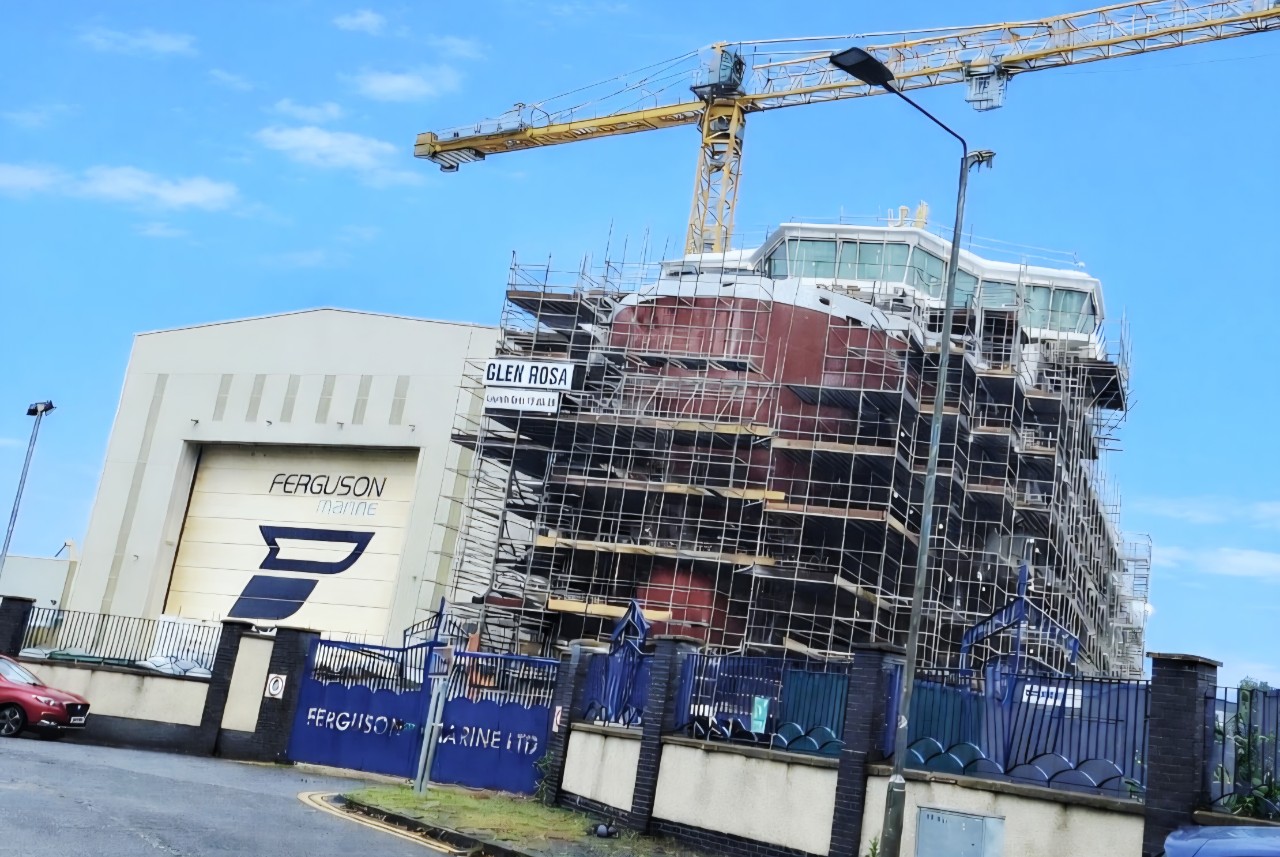
Port Glasgow, Scotland – Ferguson Marine, the last commercial shipbuilder on the lower Clyde, has launched a voluntary redundancy program that could see up to 70 employees depart the Port Glasgow yard. This strategic decision comes as the yard approaches the completion of the ferry *Glen Rosa*, leading to a temporary reduction in workload, and precedes the finalization of contracts for four new vessels the Scottish Government intends to award.
The company stated that it is moving into the final outfitting and commissioning phases of *Glen Rosa*, with delivery anticipated in the fourth quarter of 2026. This progression naturally reduces the immediate workload on the workforce. Formal consultation with employees regarding the redundancies has commenced.
Graeme Thomson, chief executive of Ferguson Marine, outlined the rationale behind the program. “Our immediate focus remains the safe, high-quality handover of *Glen Rosa* in Q4 2026,” Thomson stated. “However, as the vessel nears completion, we face an inevitable gap in workload while we work with the Scottish Government to make the relevant preparations to enable us to proceed with contract negotiations.”
Thomson emphasized the importance of continuity for shipbuilding capability and positioned the redundancies as a proactive measure. “While changes of this nature are difficult, taking proactive action now ensures we protect the long-term viability of the yard and remain lean, modern, and ready to cut steel on the new fleet as quickly as possible,” he explained. He also addressed the company’s commitment to its workforce and the community: “We take our responsibility to our workforce and community incredibly seriously. By offering a voluntary redundancy path, we want to support team members who have given so much to shipbuilding on the Clyde as they consider their next steps. At the same time, we are doing everything in our power to ensure the yard is structured to offer secure, long-term careers once the new build programme gets underway.”
The Scottish Government announced its intention in March 2026 to make a strategic direct award to Ferguson Marine for four vessels. These include two ferries designated for Caledonian Maritime Assets (CMAL) under the Small Vessel Replacement Programme, alongside a marine protection vessel and a marine research vessel. The due diligence process for this award is currently ongoing. Ferguson Marine indicated that the announced changes are designed to optimize the business size and align skills across the yard, preparing it to commence work swiftly once these contracts are finalized. The company also confirmed that the consultation process will not impact the remaining work on *Glen Rosa* or its delivery schedule, with a phased transition plan already in place across active projects.
The GMB Scotland union, which represents the largest number of workers at the yard, sharply criticized the job losses, describing them as a “betrayal of a blameless workforce.” The union attributed the situation to the Scottish Government’s alleged failure to deliver new contracts promptly, accusing ministers of sending work overseas instead.
Louise Gilmour, GMB Scotland secretary, highlighted the precariousness of the situation, stating that 70 jobs are at risk while the Scottish Government has yet to sign off on contracts that were reportedly promised before the Holyrood election in May. “Shipbuilders need ships to build so where are those promised to Ferguson Marine? If they ever come, who will build them?” Gilmour questioned. “Fergusons was once Scotland’s ferry factory with a worldwide reputation for excellence and should be again. Instead, skilled and experienced shipbuilders are being encouraged to leave as those in charge send contracts everywhere but here. The lack of support, ambition and industrial strategy is abject.”
Ms. Gilmour further connected the redundancies to a persistent failure to establish a continuous pipeline of work for the yard following the completion of *Glen Rosa* and its sister ship, *Glen Sannox*. She noted that a third of CalMac’s current fleet was built at the Port Glasgow yard, underscoring its historical importance. “Its reputation has been battered for ten years because of two calamitous contracts decided and driven by those in charge of our ferry network. Their hubris and incompetence have failed a blameless workforce that deserves the chance to turn the page,” she asserted, referring to the troubled history of the dual-fuel ferry projects.
*Glen Rosa* is the second of two dual-fuel ferries initially ordered for the Clyde and Hebrides network in 2015. This contract became notorious for significant delays and substantial budget overruns, ultimately leading to the yard being taken into public ownership by the Scottish Government in December 2019 after Ferguson Marine Engineering went into administration. Its sister ship, *Glen Sannox*, was finally handed over in early 2025, approximately seven years behind its original schedule and significantly over its initial budget.
The current pattern of job losses at Ferguson Marine reflects a recurring challenge that has affected smaller British shipyards for decades. When a yard completes one order without another already underway, it risks losing the highly skilled personnel – including welders, pipefitters, and outfitters – who built the previous vessel. These specialized workers often do not return, leading to a loss of critical expertise and capacity. Ferguson Marine’s management argues that by strategically reducing its workforce now, it aims to protect its ability to re-staff and scale up efficiently when the new build program commences.
Beyond ferry construction, Ferguson Marine also undertakes fabrication work for BAE Systems, producing structural units for the Type 26 frigate programme, which are then transported upriver to Govan for final assembly. The yard is also engaged in a broader transformation project aimed at modernizing its facilities and operations. Ferguson Marine has maintained operations at Port Glasgow since 1903, standing as the last remaining commercial shipbuilder on the lower Clyde.
Why This Matters
The announcement of voluntary redundancies at Ferguson Marine carries significant implications for Scotland’s industrial landscape, the future of its shipbuilding sector, and the reliability of vital ferry services.
Firstly, from an **economic and social perspective**, the potential loss of up to 70 skilled jobs in Port Glasgow represents a direct blow to the local community and its workforce. Shipbuilding provides high-value, specialized employment, and the loss of these roles, even if voluntary, can lead to a ‘brain drain’ of expertise that is difficult to recover. This impacts families, local businesses, and regional economic stability.
Secondly, the situation highlights a critical challenge in **industrial strategy and long-term planning** for the shipbuilding sector. The “feast or famine” cycle, where yards face gaps between major contracts, is a perennial issue in the industry. Ferguson Marine’s argument that these redundancies are a proactive step to maintain long-term viability underscores the pressure to secure a continuous pipeline of work. The union’s strong criticism suggests a perceived failure in government industrial strategy to ensure a steady workflow, particularly for a publicly owned asset.
Thirdly, as a **publicly owned entity**, Ferguson Marine’s operational challenges and workforce adjustments have direct implications for public funds and trust. The yard was brought into public ownership at significant cost due to past project failures. Further job losses and delays in securing new contracts raise questions about the effectiveness of this public intervention and the return on taxpayer investment. It also puts the Scottish Government under scrutiny regarding its ability to manage strategically important industrial assets and deliver on promises.
Fourthly, the issue directly impacts **Scotland’s vital ferry network**. The new contracts, particularly for the two CalMac ferries, are essential for modernizing an aging fleet that provides lifeline services to Scotland’s islands. Delays in finalizing these contracts and potential disruption at the yard could further exacerbate existing reliability issues and passenger frustration. The efficiency and capability of Ferguson Marine directly affect the transport infrastructure underpinning island communities.
Finally, the maintenance of **sovereign shipbuilding capability** is a strategic national asset. While Ferguson Marine is primarily a commercial shipbuilder, its role in providing fabrication for military vessels (Type 26 frigates) and its historical significance on the Clyde underscore the importance of retaining these skills and infrastructure. The health of such yards contributes to the broader industrial base and can be crucial for national security and economic resilience. The outcome at Ferguson Marine will be closely watched as a bellwether for the future of shipbuilding in the UK.